













€59,99
Shopping Cart
Add an eligible product to unlock your free gift.
0 eligible product(s) added. Add more to unlock your free gift.
Your free gift is unlocked!
[number] eligible product(s) added. Add more to unlock your free gift.
Hast du ein Konto?
Logge dich ein, damit es beim Checkout schneller geht.




Welcome to the Support centre
No, you don’t need a driver’s license to drive Ebike. Please read the safety instructions carefully for your own safety.
You can check the battery and charger in our E-BIKE USER Handbook. The methods are detailed in the manual.
Before you drive, we strongly recommend that you read our E-BIKE USER Handbook for your safety.
In our model comparison you can read the differences between our e-bikes.
The e-bike is mostly mounted on arrival; only a few steps are required to complete the assembly. Please watch the assembly tutorial carefully or read the E-BIKE USER Handbook for installation.
If your purchase includes an electric bicycle, your order is free of charge within Germany.
Your order will be processed within 48 Working hours. After sending the order, you will receive a shipping confirmation by e-mail. Our e-bikes are shipped with TOF or GEL, accessories with DPD. Please allow us to deliver the delivery within 2 to 7 Working days to the desired location. All delivery dates specified by Mokwheel are expected dates.
Sorry that only one coupon can be used on one order, we do not support stacking coupons. Thanks for your understanding.Final interpretation is owned by the Mokwheel company.
If your Mokwheel e-bike is not working, check the cable connections on the rear axle of the e-bike to make sure they are not loose or disconnected. Alternatively, you can unwind the protective cover of the plug, pull out the plug, check for possible defects and then plug it back in.
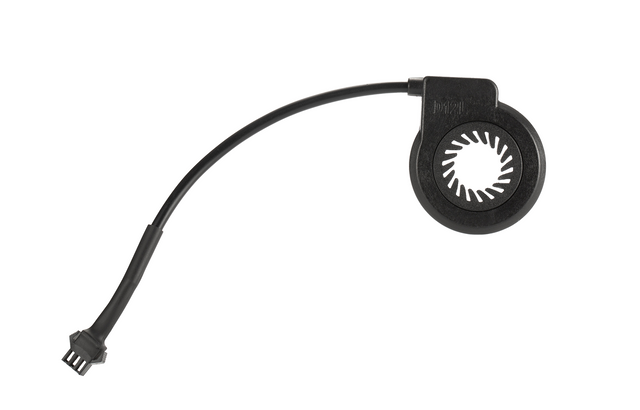
1. Check if the brake cable is loose or damaged. If there is no damage, replace the brake or the brake lever and the cable.2. error of the auxiliary force sensor step one: Check whether the sensor cable is loose or falls off. If this is not the case, it may be due to damage to the servo assist sensor. Step two: Remove and replace the power sensor.3. Walking mode error Turn off and restart the e-bike (if this problem cannot be solved, you should replace the controller).4. Real-time mode error Turn off and restart the e-bike (if this problem cannot be solved, you should replace the controller).
5. Step one: Remove the battery to check if the battery voltage is sufficient. Second step: charge the battery. Step Three: If the problem is not resolved after performing the two previous steps, this may indicate engine failure. Replace the engine.6. Engine failureCheck if the engine connection cable is loose, falls off or plugged in the wrong way (if not, this may indicate engine failure, replace the engine).
Tip: The best way to maintain the brakes is to use both brakes together and apply the rear brake first to avoid excessive load on the front wheel and fork.The setting of the brakes includes:- Checking the wheel to make sure it sits completely in the failing ends of the frame. An improperly seated wheel can cause the brake disc to rub against the brake linings and make noise.- Check that the brake disc is straight and in good condition. Damaged or contaminated brake discs can lead to reduced braking performance or to noise.—Centrement of the brake caliper by adjusting the positioning so that the inner lining, a stationary component of the brake caliper, lies close and parallel to the brake discs. An incorrectly positioned brake lining or brake caliper can lead to reduced braking performance or to noise.- Adjustment of the brake tension and checking of the brake lever. These last settings help ensure that the brakes are set correctly.